Describe the photo
Name the subject, pose or angle, mood, and the part of the image that carries meaning.
 TattooPreviewAI
Direct photo upload is not available yet. Describe the subject, recognition details, pose, and meaning of an authorized photo to explore an original tattoo direction for artist review.
Text input only for now—describe an authorized photo; direct photo upload is not available yet.
For planning and artist review only. Check local tattoo laws and consult a professional tattoo artist.
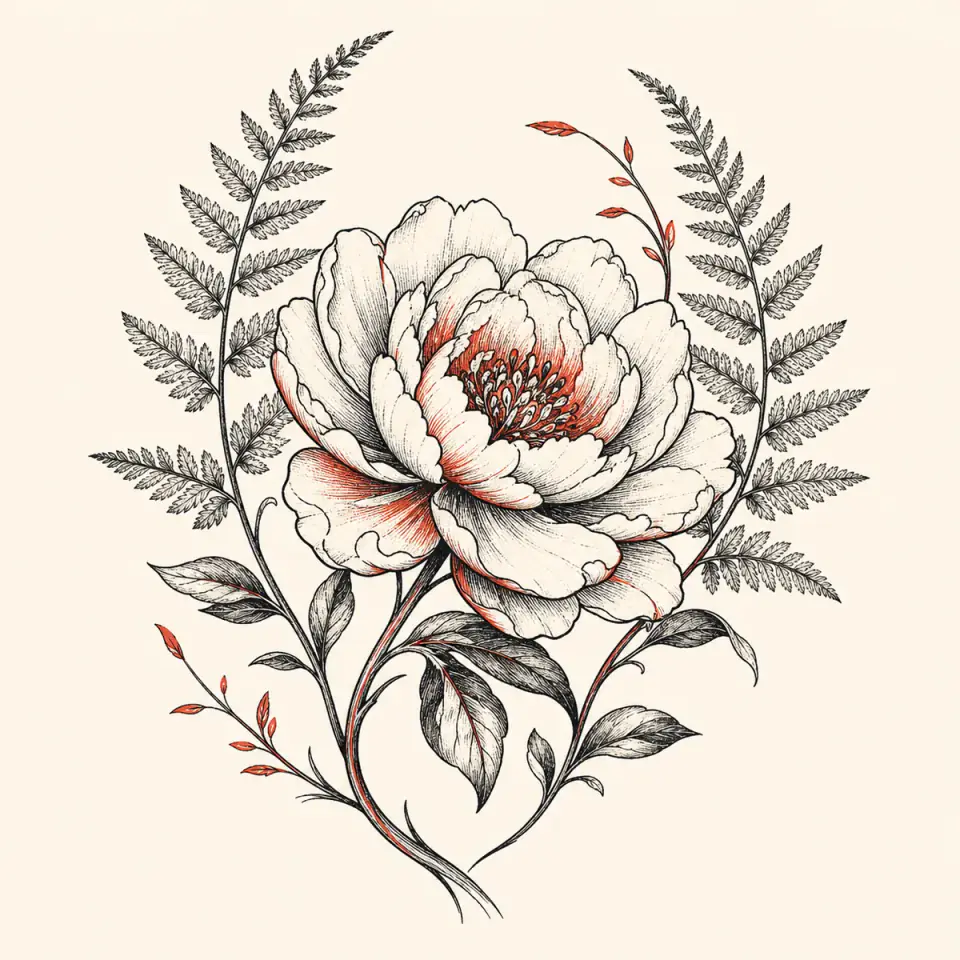
Direct photo upload is not available yet. Describe an authorized photo’s subject and recognition details to create an original tattoo direction.
No upload is required or accepted—describe the subject, pose, recognition details, and meaning before generation.
 Private planningNot saved on this device
For planning and artist review only. Results may need cleanup, resizing, redraw or placement changes.
This page is a text-led alternative for turning the meaning and recognizable details of an authorized photo into an original tattoo brief. Direct photo upload is not available yet, so you stay in control by describing the subject before generation.
Name the subject, pose or angle, mood, and the part of the image that carries meaning.
Add the markings, silhouette, object shape, or gesture that must remain recognizable.
Choose a tattoo composition and omit the background or details that do not belong.
Try: “Create an original [style] tattoo concept of [subject], shown from [angle/pose]. Preserve [recognition details] because they represent [meaning]. Simplify or omit [background/details]. Plan for [body area] at about [height].”
A limited first concept preview is free. Additional concept directions use 3 credits. Prompt moderation happens before generation, and a rejected prompt does not consume credits. Direct photo analysis is not part of the current product.
Not currently. The AI tattoo generator from photo page uses a text-led workflow. Describe the photo's subject, meaning, defining features, composition, approximate size, and placement. Direct photo, sketch, and reference-image uploads are not available yet.
Yes, as a photo-inspired concept. Describe the pet's species, pose, profile, distinctive markings, expression, and memorial meaning. For an exact likeness, bring the authorized original photo and generated direction to a tattoo artist experienced in animal portraits.
No. The system interprets your written description and can invent or omit details. It is designed for composition planning, not exact photo conversion. Verify recognition anchors yourself and rely on an artist for accurate portrait or object rendering.
Do not request celebrity likenesses, protected characters, logos, existing tattoos, or artwork you are not authorized to reproduce. Use your own photo subject and ask for an original composition built from broad, lawful visual directions.
Name one focal subject, two or three defining features, the pose or view, emotional meaning, broad style, desired composition, approximate size, and body area. Remove background clutter and list any element that must not appear.
Refine the selected AI tattoo generator from photo concept into stencil-style linework, review approximate placement on a site-provided body model, and prepare an artist brief. Your tattoo artist should then redraw, verify, size, and fit the final design.
Describe the authorized photo's focal subject, defining features, angle, and details to omit. Create an original concept first, select the strongest direction, and then generate stencil-style linework for professional review rather than attempting an automatic trace.
The current workflow does not accept or convert an uploaded image. It turns your written description into a photo-inspired concept and later linework. Bring the original authorized image to your tattoo artist if exact recognition matters.
No upload is required. Write the subject, defining features, meaning, and details to omit, then create an original direction your artist can refine.
Describe My Photo IdeaAn AI tattoo generator from photo references is often used to transform a meaningful subject into a tattoo concept: a pet, flower, place, heirloom, vehicle, or personal object. TattooPreview AI currently uses a text-led workflow rather than direct photo uploads. Describe what matters in the image, what the subject means, and which visual features must remain recognizable. The generator then explores original compositions without storing or processing the source photo itself.
This approach works best when the goal is interpretation rather than exact reproduction. A photograph contains lighting, background clutter, perspective, texture, and small details that may not translate well into tattoo form. By identifying the essential subject and simplifying the scene into a written brief, you can focus generation on silhouette, gesture, symbolic details, and composition. The result becomes a planning reference that a professional tattoo artist can redraw using the actual photo if you later choose to share it directly with them.
Begin by naming the subject and its defining traits. For a pet, note the species, profile or pose, ear shape, markings, and the expression you remember. For a flower, identify the species, stage of bloom, number of stems, and overall direction. For a landscape, choose one landmark or horizon shape instead of describing every object. Then add meaning, broad style, placement, approximate size, and whether the composition should feel realistic, minimal, geometric, ornamental, or illustrative.
Separate visual facts from emotional intent. A useful brief might say: side-profile black cat with one notched ear and a long curved tail; calm memorial mood; fine-line oval composition; small crescent as a supporting symbol; approximately fourteen centimeters on the upper arm. This gives the AI tattoo generator from photo intent a concrete structure. Avoid vague requests such as make this into a tattoo, which leave too many decisions undefined and often produce generic results.
Choose two or three recognition anchors. These are the features that make the subject personally identifiable, such as a pet's ear shape, a classic car's roofline, a house's distinctive window, or a flower's unusual petal arrangement. Everything else can be simplified around those anchors. Tattoo compositions usually benefit from a clearer silhouette and fewer competing textures than a photograph. Recording priorities helps prevent decorative details from replacing the features that carry the memory.
Backgrounds often need the most reduction. Instead of recreating a full room, street, or landscape, keep one contextual element such as a window outline, mountain ridge, date, or small botanical frame. Treat lettering and exact dates separately because image generation can distort characters. The artist should draw and proofread permanent text. If color is important, describe a limited palette or one accent rather than expecting photographic color to reproduce predictably in generated art or healed tattoo ink.
Pet photographs can inspire profile silhouettes, simplified portraits, paw or nose details, collar tags, favorite poses, and symbolic botanical frames. A clear side profile is often easier to translate than a complex action scene. For memorial work, decide whether likeness or symbolism matters more. Some people prefer a recognizable portrait direction; others choose an object, flower, landscape, or gesture associated with the person. That decision should guide the prompt before style and decoration are added.
If a photo contains a person, protect their privacy and obtain permission when appropriate. TattooPreview AI does not accept celebrity likeness requests or unauthorized use of another person's identity. Since the current workflow is text-led, describe a general original concept rather than attempting an exact portrait. For a true likeness tattoo, take the authorized source image directly to an experienced portrait tattoo artist who can assess resolution, lighting, anatomy, placement, and the level of detail required.
A photo may show an existing tattoo, illustration, logo, character, or artwork that you do not own. Do not ask the generator to reproduce it. Identify the underlying idea and build a new composition from original elements. For example, replace copy this exact wolf tattoo with a request for an original side-profile wolf, wind-shaped fur, open negative space, and a circular mountain motif. This preserves the desired mood while avoiding an instruction to duplicate another creator's work.
The same rule applies to living tattoo artists. Broad directions such as fine line, geometric, blackwork, botanical, or illustrative are useful, but an exact style imitation is not. Generated results can still resemble common designs, so search for accidental similarity when a concept will be used commercially or carries special originality concerns. A professional artist should redraw the selected direction and contribute their own composition, technical decisions, and authorship before it becomes a final tattoo.
Compare concepts by asking which one preserves the photo's essential story, not which looks most photographic. Select the direction with the best silhouette and composition. The next stage creates stencil-style linework from that chosen concept, helping you see whether the idea remains readable without color, lighting, or texture. If important recognition anchors disappear, return to the brief and describe them more clearly instead of continuing with an attractive but inaccurate direction.
After linework, use the site-provided body models to consider approximate size and placement. A portrait-oriented composition may suit a forearm or calf, while a wider memorial arrangement may need an upper arm or shoulder. The placement blend is an approximation and can change small details. Keep the concept and linework as references, note any differences, and let your artist fit the design on your actual body before approving a permanent location.
Place your private source photo beside the generated concept on your own device and compare only the features you listed as essential. Check silhouette, posture, distinctive markings, object count, orientation, and symbolic elements. Do not expect the AI to infer facts that were not in the prompt. If the concept invents details, correct the written brief. A structured comparison is more productive than repeatedly requesting another image with no explanation of what needs to change.
For exact portrait resemblance, generated planning concepts are not enough. Faces, hands, typography, species traits, architecture, uniforms, and mechanical objects can contain convincing-looking errors. Mark every uncertainty for professional review. The artist may ask to see the original authorized photo, request a higher-resolution version, combine several references, or recommend a different scale. Those decisions belong in the artist's design process, not in an automated preview.
Direct photo, sketch, and reference-image upload is not currently available in this tool. Do not paste private image links or identifying details into the prompt. Describe only the subject information needed to build the tattoo direction. This text-led boundary is important to understand before starting: the page supports photo-inspired planning, not automatic extraction or tracing from an uploaded file. The interface will be updated if secure reference-image support is added later.
Only use photos you own or are authorized to use, especially for portraits, children, memorials, private locations, and commissioned photography. Avoid protected characters, logos, and artwork. Generated output is not guaranteed to be unique or factually accurate and should not be tattooed directly. Ask a professional artist to verify the source, redraw the composition, adapt details for the chosen size and skin, and follow consent, hygiene, licensing, and local legal requirements.