Describe one clear idea
Define the subject, meaning, broad style, placement, and approximate height.
 TattooPreviewAI
Create an original tattoo concept, refine the selected direction into stencil-style linework, and prepare a clearer reference for professional artist review.
Start with a concept, then turn the selected direction into stencil-style linework for 3 credits.
For planning and artist review only. Check local tattoo laws and consult a professional tattoo artist.
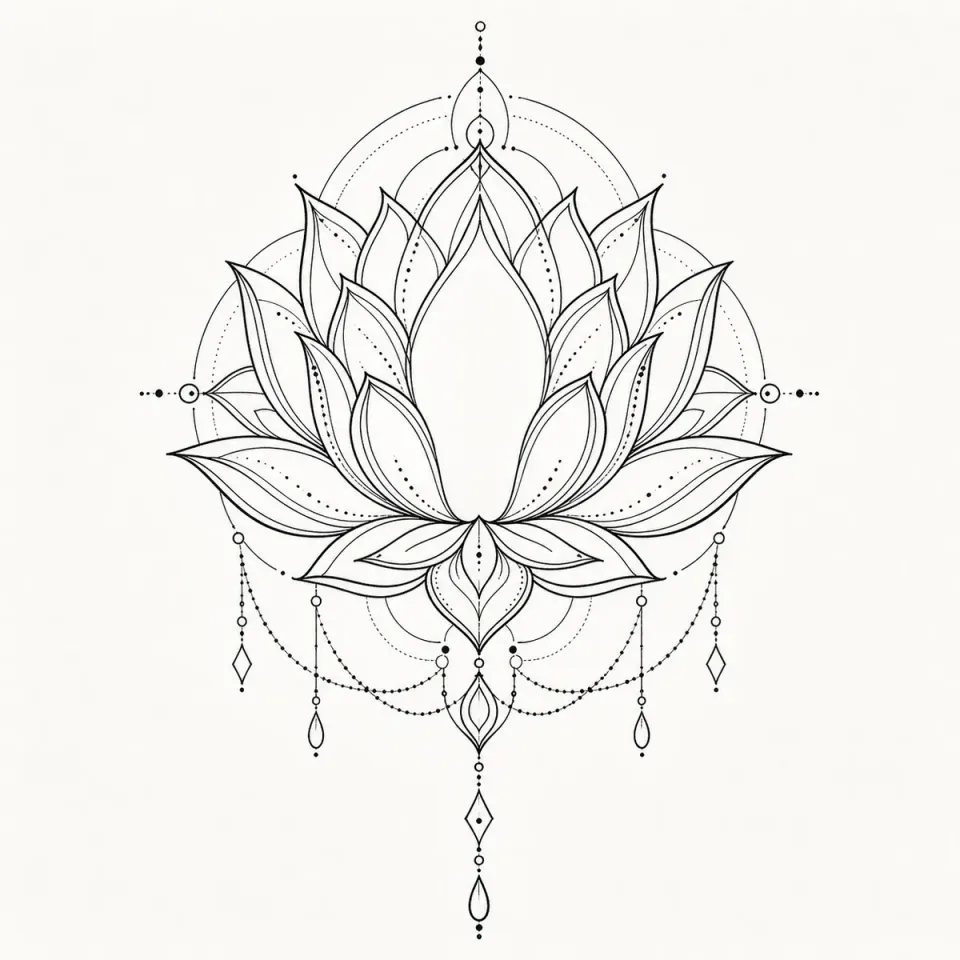
Create the concept first, choose the strongest composition, then generate stencil-style linework from that exact selection.
The workflow begins with a concept so the later stencil keeps the composition you selected.
 Private planningNot saved on this device
For planning and artist review only. Results may need cleanup, resizing, redraw or placement changes.
Too many small details, weak line hierarchy, or crowded negative space can hide the subject at tattoo scale. This workflow separates concept choice from linework so you can simplify the right composition instead of polishing the wrong one.
Define the subject, meaning, broad style, placement, and approximate height.
Compare silhouette and balance before requesting any stencil-style linework.
Check contours, negative space, small details, and the changes your artist should make.
Zoom out to the intended size first. The subject should remain recognizable before decorative marks receive attention.
The first limited concept preview is free. A paid concept set uses 3 credits, and turning the selected direction into stencil-style linework uses 3 more. A Starter Pack is the smallest paid option for a focused planning session.
No. The AI tattoo stencil generator creates a planning draft for comparing composition and linework. A professional tattoo artist must redraw and adapt it for your body, chosen size, skin, technique, line weight, spacing, and long-term readability before it can become part of a studio stencil process.
A limited free preview is available so you can understand the AI tattoo stencil generator concept workflow. Additional concept directions, selected linework, and final placement previews use the credits shown in the interface. Positioning adjustments do not consume credits.
Include one focal subject, its meaning, a broad visual direction, approximate size, body area, composition, and desired detail level. Mention essential elements and useful exclusions. Avoid exact artist imitation, protected characters, celebrity likenesses, and instructions to copy an existing tattoo.
Generated images can distort text, dates, symbols, and small factual details. Treat lettering as a separate note and verify every character. Your tattoo artist should typeset, draw, and proofread any permanent text rather than tracing generated lettering.
Fine-line, botanical, geometric, illustrative, ornamental, and blackwork directions can all be explored at a broad level. The result is a planning reference, not an exact claim about a professional style or a replacement for an artist's technical interpretation.
Generate only enough options to compare meaningful compositions. Select the strongest direction, write a focused revision list, and move to artist review. Repeated generation without clear criteria often adds decoration without improving the decision and uses additional credits.
It can help with both early linework goals, but the output remains a planning reference. Start from an original concept, review the simplified contours at the intended size, and let a professional tattoo artist redraw the final stencil for skin.
Start with one free concept, refine only the direction you choose, and ask your tattoo artist to redraw it for your skin and placement.
Start My Stencil WorkflowAn AI tattoo stencil generator is a planning tool that turns a written tattoo brief into a visual concept and then into simplified black-line artwork. It helps you explore the structure of an idea before a tattoo artist redraws it for real skin. The useful outcome is not a finished transfer stencil. It is a cleaner conversation piece that shows the intended subject, silhouette, balance, level of detail, and approximate placement without relying on a vague verbal description alone.
TattooPreview AI keeps concept creation and stencil-style refinement in one workflow. You describe the meaning and visual direction, compare generated concepts, select the closest option, and request linework based on that exact selection. This sequence matters because a stencil should inherit the composition you approved instead of becoming an unrelated second image. You can then review the linework beside placement context and carry the important decisions into an artist consultation.
Start with one focal subject and explain what it represents. Add a broad visual direction such as fine line, botanical, geometric, illustrative, ornamental, or blackwork. Include the intended body area and approximate height because the same composition cannot carry the same detail at every scale. A compact wrist idea usually needs fewer interior marks than a larger upper-arm piece. Clear constraints help the generator produce options that are easier to compare and easier for an artist to interpret.
After the concept stage, choose the direction with the strongest overall shape rather than the one with the most decoration. Look for a readable silhouette, intentional negative space, and a focal point that remains clear from a normal viewing distance. Generate stencil-style linework only after making that selection. The resulting draft should be treated as an outline study. Note anything that must remain, anything that can be simplified, and anything your tattoo artist should redesign for anatomy or longevity.
A productive prompt separates meaning from visual instructions. For example, explain that a moth represents change, then describe a centered moth with open wings, a small crescent above it, balanced fine-line detail, and enough clear space for an inner-forearm placement. This gives the AI tattoo stencil generator both a reason and a composition. Avoid stacking many unrelated symbols into one small design, because crowded prompts often produce tangled contours that will be difficult to simplify into tattoo-friendly linework.
Use plain language for line behavior: bold outer contour, lighter interior detail, open areas, limited shading, symmetrical frame, or flowing botanical stems. Mention what should not appear when that boundary is important. Do not ask for an exact copy of another tattoo, a protected character, a celebrity likeness, or the exact style of a living artist. Original direction creates a more useful planning result and gives your tattoo artist room to develop a design that belongs to your project.
Good stencil-style artwork is not simply a full-color image converted to black and white. It needs a hierarchy of lines. The outer silhouette should establish the subject, major interior contours should explain form, and smaller details should support rather than compete with the focal point. Strong negative space prevents neighboring marks from merging visually. When reviewing a generated draft, zoom out and ask whether the subject remains recognizable before inspecting decorative details at full size.
Line density should reflect the planned size and body area. Fine ornamental details may look attractive on a large screen but become impractical when compressed into a small tattoo. Bold blackwork needs enough breathing room to avoid turning into one heavy shape. The generator can help reveal these tradeoffs, but it cannot predict how ink will settle or age on your skin. Mark dense areas for discussion and let your artist choose final spacing, needle grouping, line weight, and simplification.
The workflow works well for original floral arrangements, animal silhouettes, memorial symbols, geometric emblems, ornamental frames, travel memories, and small objects with personal meaning. It is especially useful when you know the story but do not yet know the composition. You can compare whether a subject feels stronger as a vertical arrangement, a circular emblem, a mirrored design, or an open asymmetric direction before asking for the selected idea to become linework.
For memorial tattoos, keep names, dates, and exact lettering as separate notes for the artist instead of trusting image generation to reproduce them accurately. For animals, identify the essential profile, posture, or feature that must remain recognizable. For botanicals, specify the flower, leaf rhythm, and desired openness. For geometric work, describe the main shapes and symmetry rather than requesting mathematical precision. Generated imagery can introduce errors, so factual, symbolic, and typographic details always need human verification.
First check whether the output follows the selected concept. Confirm the number and position of important objects, the direction each subject faces, and the relationship between the focal element and supporting details. Next inspect continuity: lines should not end accidentally, overlap in confusing ways, or create impossible anatomy. Finally, review readability at the approximate tattoo size. A draft can be visually interesting and still be unsuitable as a starting point if the main form disappears when reduced.
Create a short revision list rather than repeatedly regenerating without a goal. Useful notes include remove two background leaves, enlarge the central symbol, open space around the date, simplify feathers, or keep the outer contour while replacing interior texture. This turns the AI tattoo stencil generator into a decision tool rather than an endless image feed. Bring both the preferred draft and the revision list to your artist so they can understand what attracted you and what still feels unresolved.
A professional tattoo artist will normally redraw a planning reference. They may change the composition to fit the body, reduce details that will not age well, strengthen structural lines, alter the direction of movement, and account for existing tattoos or natural landmarks. These changes are not a failure of the draft. They are the step that converts a screen-based idea into artwork designed for a specific person, placement, size, technique, and studio process.
Use the artist brief to record the meaning, preferred concept, broad style, approximate dimensions, body area, and non-negotiable elements. Also list what is flexible. Saying that the moth and crescent are essential but the surrounding leaves can change gives an artist more useful freedom than asking for an exact trace. The best handoff communicates intent clearly while leaving technical and artistic decisions with the professional who will create the final tattoo.
TattooPreview AI currently begins with written prompts and uses site-provided adult body models for placement planning, so a personal body photo is not required. Keep sensitive personal information out of prompts. If a design refers to a private memory, describe only the visual facts needed to guide the composition. Guest drafts can remain on the device temporarily, while signed-in history and credit use follow the account and privacy controls described in the site policies.
Generated stencil-style results may resemble common visual conventions and are not guaranteed to be unique. Search for accidental similarities when originality is especially important, and ask your artist to redraw the work in their own professional approach. Never use the output as medical, hygiene, anatomy, or tattooing instruction. Check local age and consent rules, choose a reputable studio, and rely on the artist for skin assessment, placement safety, sterile practice, and final execution.